New to reselling books? Ranger helps you check a book’s selling prices, estimate what you could make after fees, and decide whether to buy it—all from your phone.
14 days free. $0 charged during trial. Cancel anytime.
See current Amazon prices Compare cash buyback offers Scan a cover or barcode
Clear answers, right in the aisle
Scan it. Check it. Decide.A simple next step for every book.
Scan a bookCheck its valueChoose to buyList it for sale
The basics, made practical
Your first book find, from shelf to sale.
No spreadsheets or resale experience needed. Follow a few simple steps to see what a book might earn and decide what to do next.
01
Start with a quick scan.
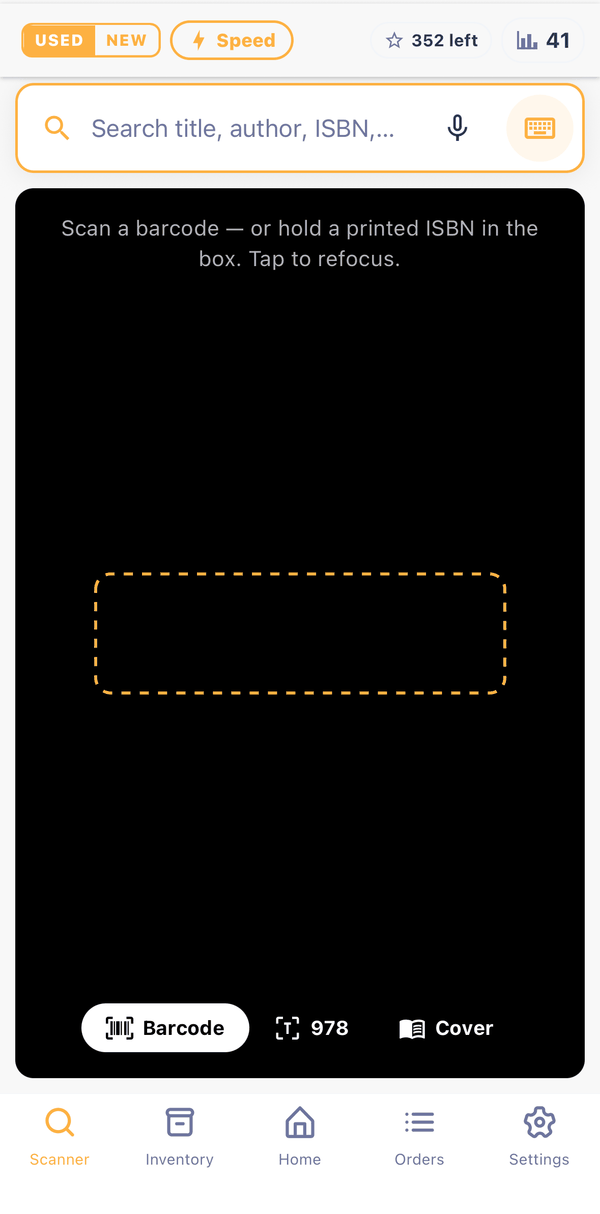
Point your phone at the barcode, type in the book’s ISBN (the number printed near the barcode), or take a photo of the cover. You can also connect a Bluetooth scanner.
Scan the barcode or enter the ISBN
Use a cover photo if needed
Add a Bluetooth scanner when you’re ready
01 / FINDCamera view
02
See what it could earn.
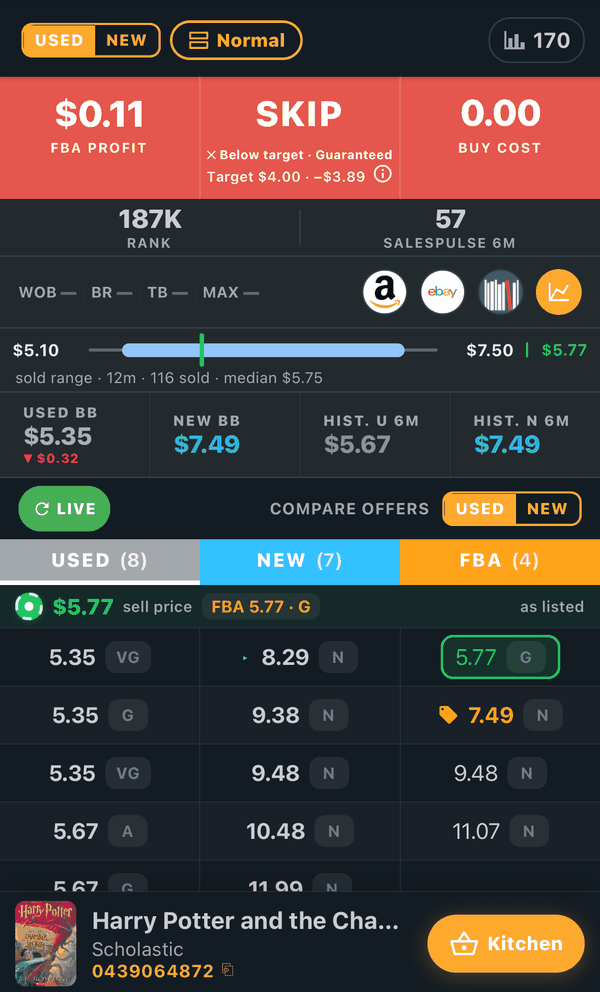
Ranger shows Amazon’s current Buy Box price—the price shoppers see when Amazon offers the book—plus cash offers from World of Books, ThriftBooks, and BooksRun. It estimates your profit after fees, then gives you a simple BUY or SKIP recommendation.
BB
Look beyond the list price. The Buy Box is a useful view of the current Amazon offer. Ranger pairs it with an estimated profit after fees to help you judge the opportunity.
02 / EVALUATEMarket + decision
Two clear ways to make a decision
Cash buyback or Amazon profit?
Ranger keeps cash offers and Amazon profit estimates distinct, so you can compare the path that fits each book.
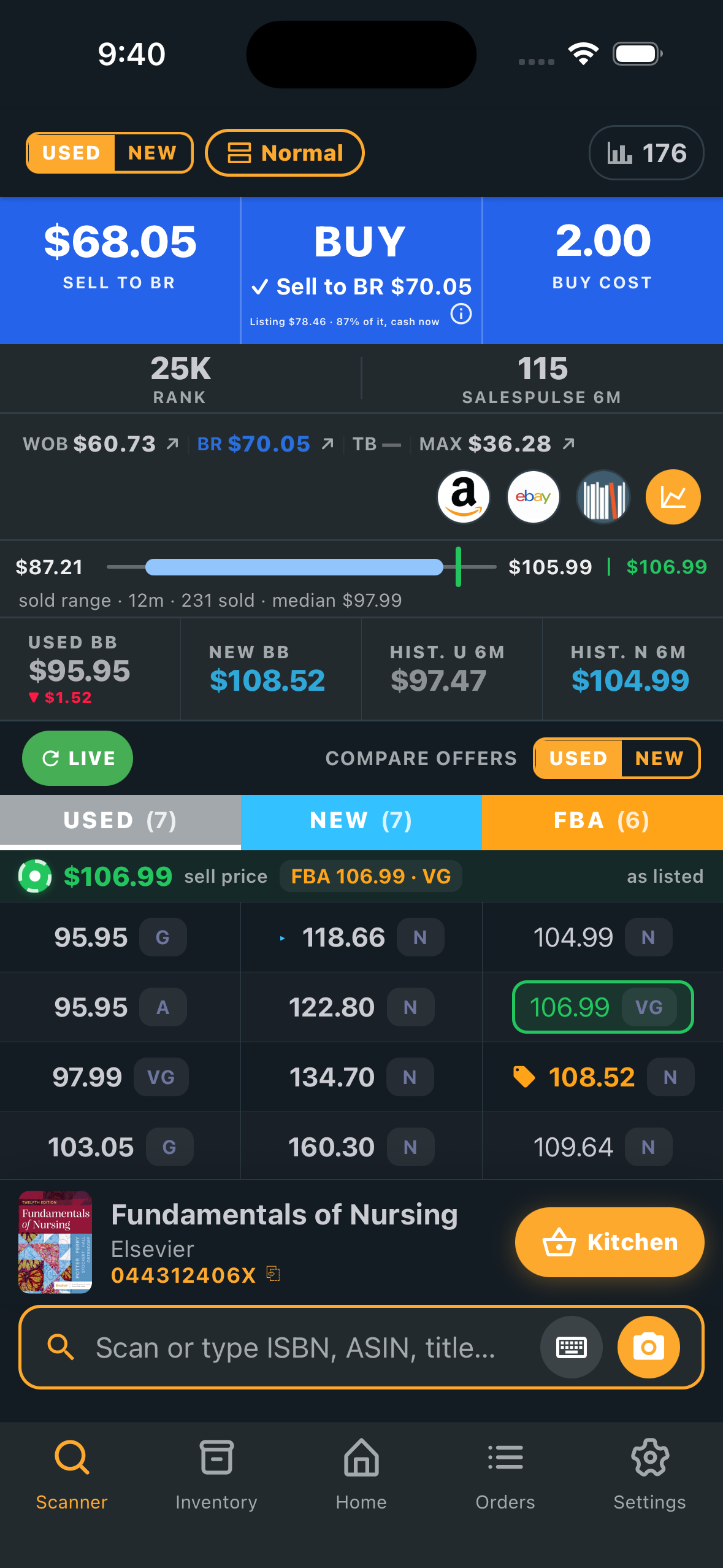
BLUE · CASH BUYBACK
A trusted company pays cash—and covers shipping.
See the buyback offer for the book, with shipping covered by the company. Compare it with selling on Amazon before you decide.
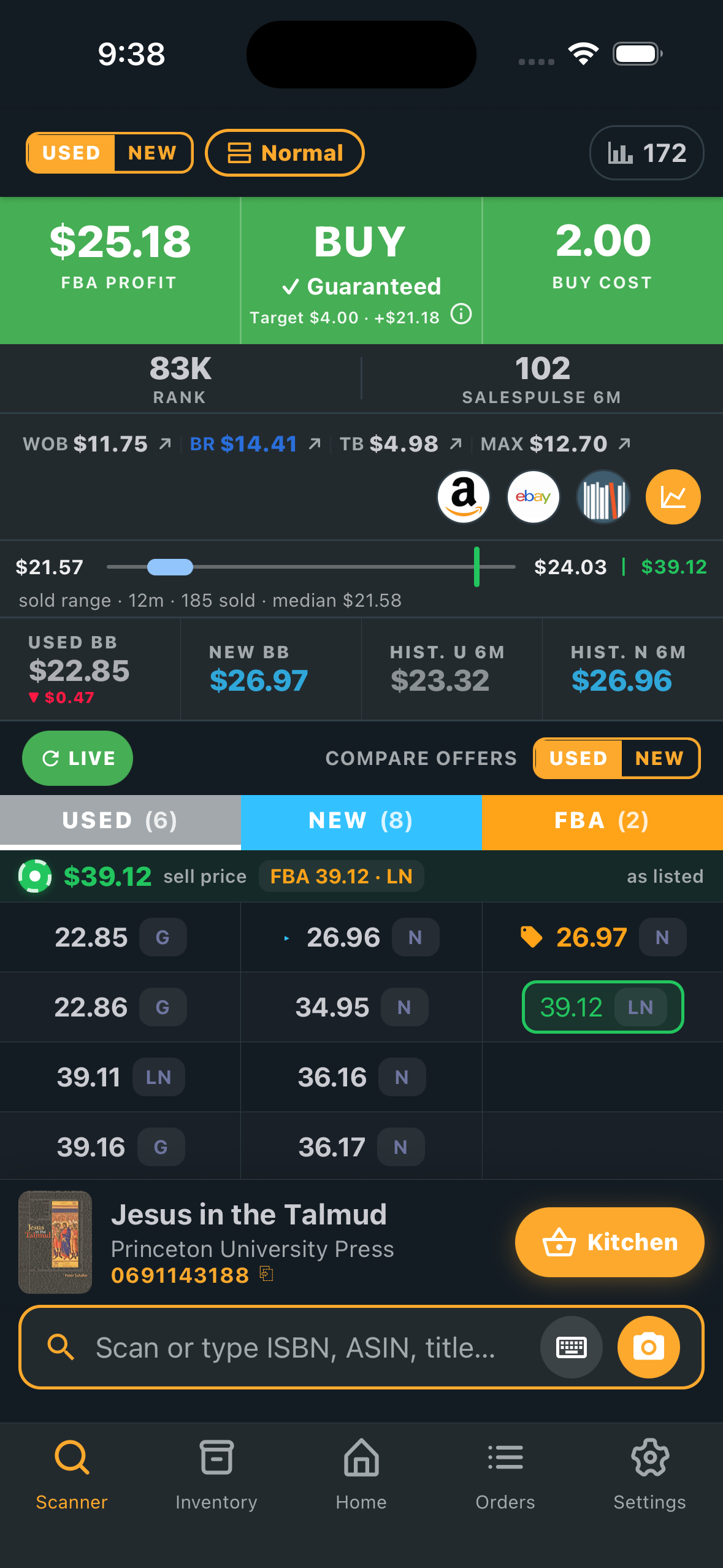
GREEN · AMAZON PROFIT ESTIMATE
See estimated Amazon profit after your costs.
The green figure estimates profit after Amazon fees and your buy cost. Use it to compare the book with your own buying rules—not as a guarantee of a sale or profit.
Set your comfort zone
Choose what makes a book worth buying.
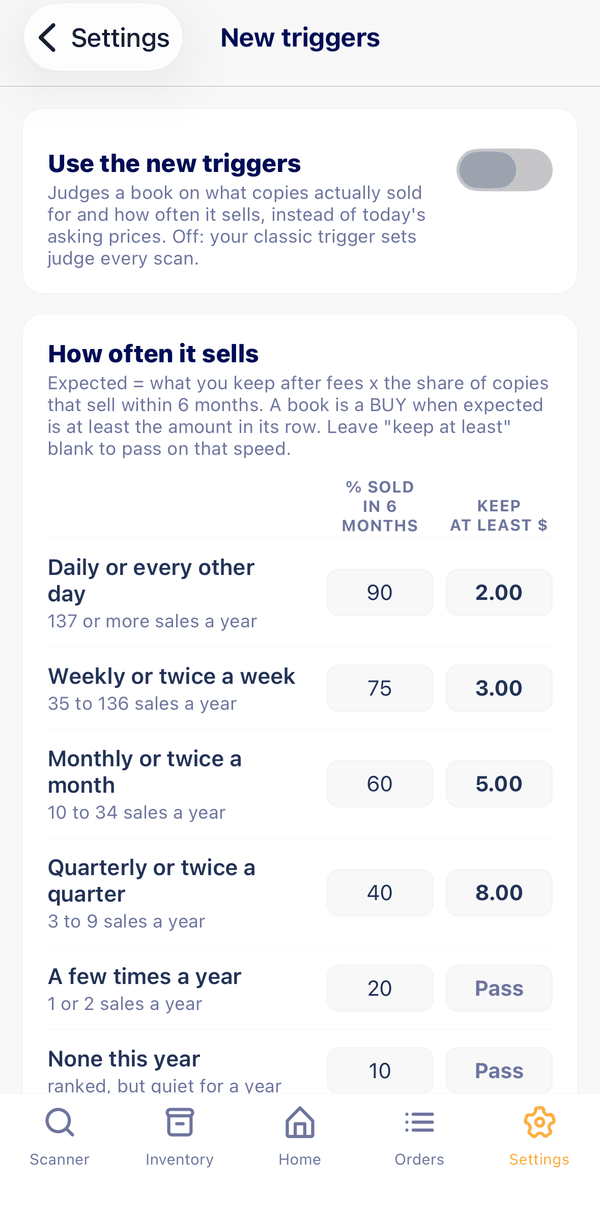
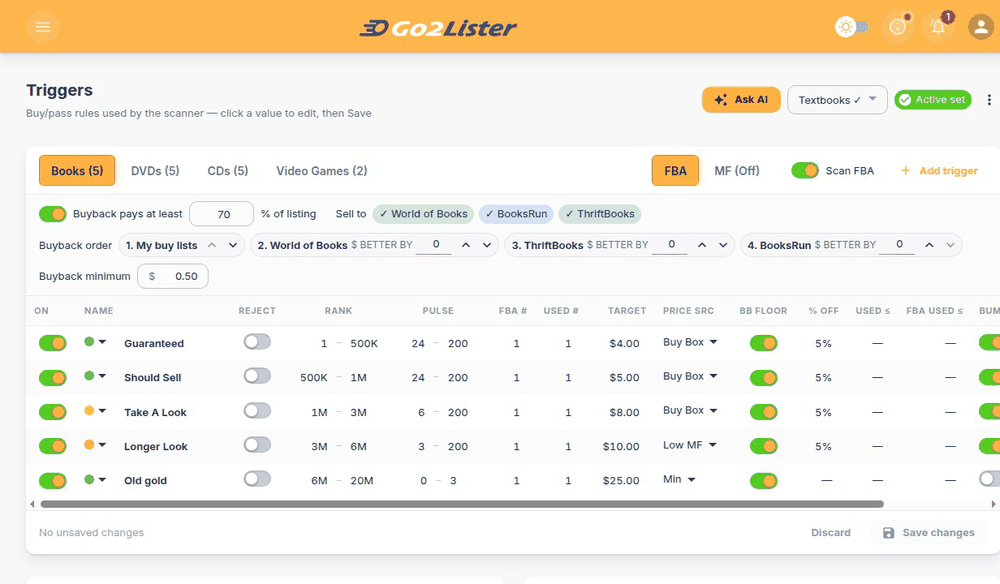
Set your own minimum profit, price, sales rank, and sales pace. Ranger checks each book against your preferences, so the recommendation fits your goals—not someone else’s.
Price & sales rank Minimum profit How often it sells
YOUR BUYING PREFERENCESChange them anytime
YOUR SETTINGSUpdate your buying preferences from the web app whenever you like.
When you’re ready to list
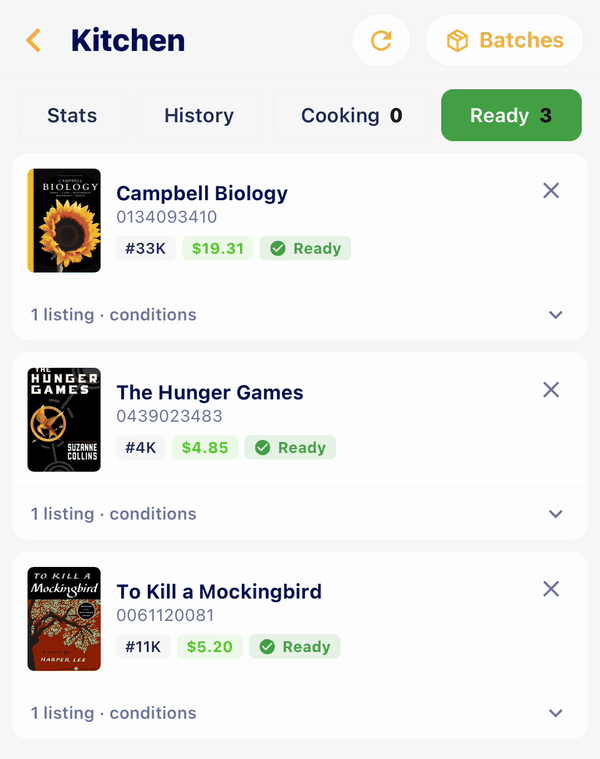
Move your picks into Kitchen.
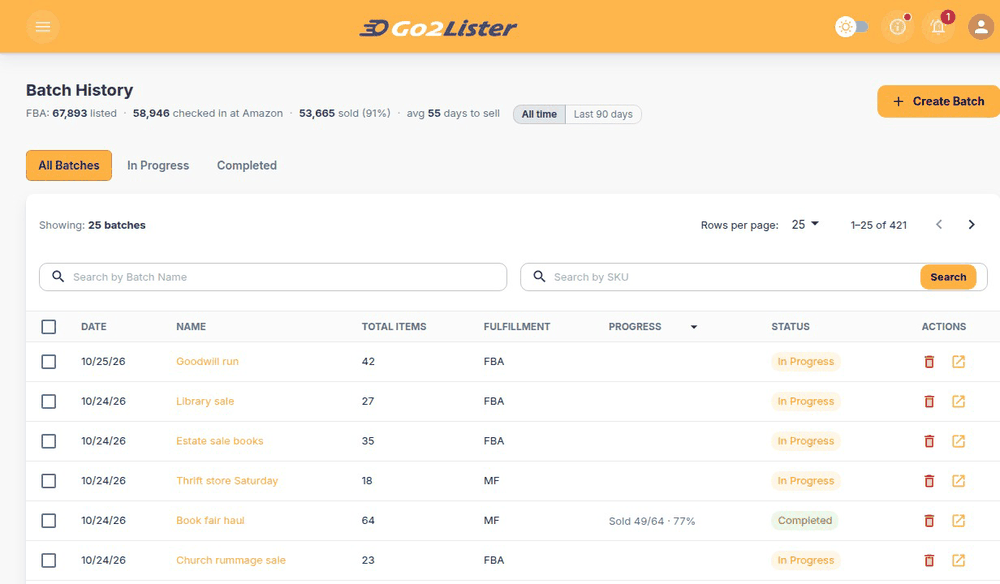
With Go2Max, send the books you choose from Ranger to Go2Lister Kitchen, then prepare them for Amazon FBA. Keep track of what’s ready, in progress, and done—all in one workflow.
Shopping somewhere with no signal? Database mode lets you scan offline.
BOOKS READY TO LISTYOUR LISTING PROGRESS
Helpful details, all in one place
Make your decision with more than a hunch.
A
Amazon price in context Check the current Buy Box price and estimated profit after fees.
B
Other ways to sell Compare cash offers from World of Books, ThriftBooks, and BooksRun.
C
More than one way to scan Try a barcode, ISBN, or cover photo.
From the Go2Lister community
Real sellers. Their own milestones.
These community stories are self-reported. They are not guarantees or evidence that Ranger caused the results.
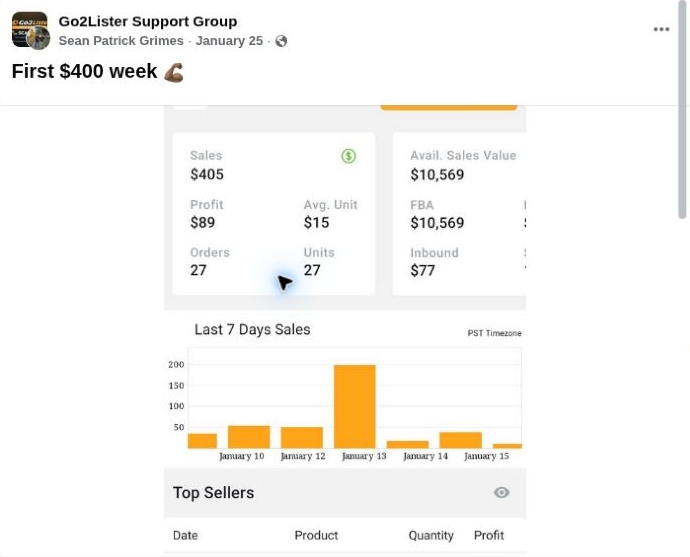
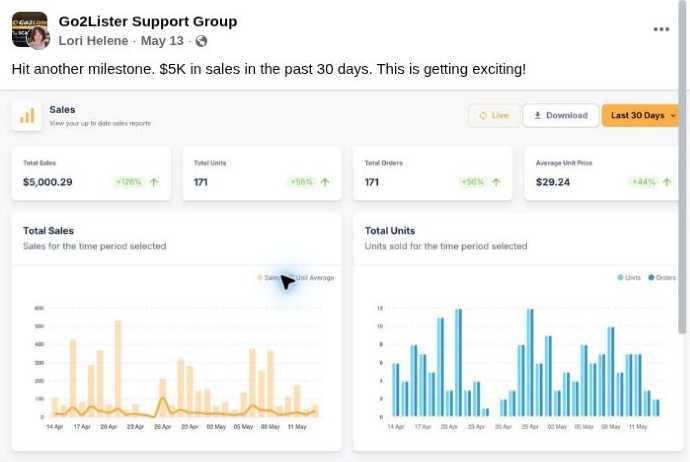
My first week and I've sold three books, netting $100.First $400 in sales for the weekHit another milestone. $5K in sales in the past 30 days. This is getting exciting!Love Go2Lister!!!I love seeing this inventory snapshot. Such an underrated metric.
Four ways to get started
Choose the tools that fit your next step.
Every option starts with a 14-day trial: $0 during the trial, cancel anytime. Prices below are per calendar month after your trial.
Live Mode
14-DAY TRIAL
Scan books with a live connection while you source.
$19.99 / month
Billed monthly after your trial
Ranger book scanning
Live market lookups
500 Ranger scans with sourcing
$0 charged today. Cancel anytime.
Database Mode
14-DAY TRIAL
Scan books with offline Database access.
$43.99 / month
Billed monthly after your trial
Ranger book scanning
Offline Database mode
500 Ranger scans with sourcing
$0 charged today. Cancel anytime.
Listing
14-DAY TRIAL
Prepare and manage book listings with Go2Lister.
$49.99 / month
Billed monthly after your trial
Go2Lister Listing Tool
Organize books for listing
No Ranger sourcing scans
$0 charged today. Cancel anytime.
SCAN + LIST
Listing + Sourcing
14-DAY TRIAL
Find books with Ranger, then move your picks into listing.
$79.99 / month
Billed monthly after your trial
Ranger sourcing + Listing Tool
Send accepted books to Kitchen
500 Ranger scans with sourcing
$0 charged today. Cancel anytime.
The 500-scan offer is for plans that include Ranger sourcing: Live Mode, Database Mode, and Listing + Sourcing. Choose your plan during account setup.
Made for the book aisle
Take Go2Lister with you.
Download Go2Lister on your phone, then start account setup to choose a plan and see whether the 500-scan offer is right for you.